

A Practical Guide to Working Smarter, Faster, and Alone
Introduction
You woke up with a great idea: By noon, you’ve written a script, recorded a video, edited it, designed a thumbnail, drafted a caption, scheduled it across three social media platforms, and started planning next week’s content, all by yourself. If that sounds familiar, you’re a solo creator. And you already know the brutal truth: the job never ends.
The good news is that we are living through the most exciting moment in the history of content creation. AI tools have levelled the playing field. What used to require a team of five, from video editors, graphic designers, writers, project managers, and automation specialists, can now be handled by a single person armed with the right stack.
But here’s the problem: there are hundreds of AI tools out there, each promising to change your life. The noise is overwhelming. Which ones actually deliver? Which ones are worth paying for? And which ones will quietly waste your time?
That’s exactly what this guide answers. I have tested these tools as a solo creator myself and not as a tech reviewer, but as someone who needs things to work on a deadline with a limited budget. Here are the AI tools that genuinely move the needle.
How I Chose These Tools
Not every shiny AI tool deserves a place in your workflow. I evaluated each tool against five criteria that matter to real creators:
- Ease of use — Can you get results in under 30 minutes without watching a full tutorial?
- Value for money — Does the free tier give you enough to start? Is the paid plan worth it?
- Real productivity impact — Does it actually save you hours, or just save you minutes?
- Integration with creator workflows — Does it fit into how creators already work (YouTube, Notion, social media, etc.)?
- Honest pros and cons — I’m including what I liked AND what frustrated me, based on real usage.
The tools below made the cut because they passed all five tests. Let’s get into it. You can watch this video on secrets to choosing best video generator.
Quick Comparison Table
Here’s a snapshot of each tool before we go deep:
|
Tool |
Best For |
Pricing |
My Rating |
Ideal For |
|
ChatGPT |
Writing & ideation |
Free / $20/mo. |
⭐⭐⭐⭐⭐ |
Writers, podcasters |
|
Canva AI |
Visuals & design |
Free / $15/mo. |
⭐⭐⭐⭐⭐ |
All creators |
|
Descript |
Video & audio editing |
$12–$24/mo. |
⭐⭐⭐⭐ |
YouTubers, podcasters |
|
Runway |
AI video generation |
Free / $12+/mo. |
⭐⭐⭐⭐ |
Video creators |
|
Notion AI |
Organization & planning |
Free / $10/mo. |
⭐⭐⭐⭐⭐ |
All creators |
|
Zapier |
Workflow automation |
Free / $19.99/mo. |
⭐⭐⭐⭐ |
Productivity-focused |
The Tools: Deep Dives
1.ChatGPT: Your AI Writing Partner
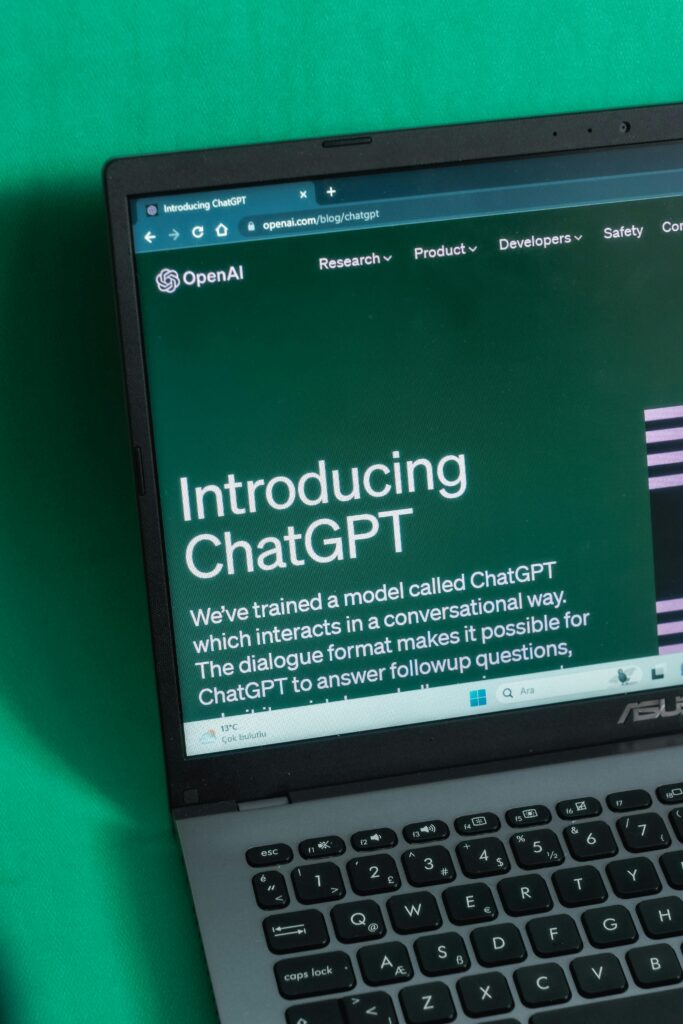
What it does: ChatGPT is a conversational AI model developed by OpenAI. It can write scripts, blog posts, captions, email newsletters, interview questions, content outlines, ad copy, and much more. With the right prompts, it can also brainstorm video ideas, help you research topics, and even give feedback on your own drafts.
Why it’s great for solo creators: As a solo creator, your biggest bottleneck is often the blank page. ChatGPT eliminates that. Whether you need a YouTube script in your voice, 10 Instagram caption options, or a 30-day content calendar, you can go from idea to first draft in minutes instead of hours. The GPT-5 model (available with ChatGPT Plus) produces remarkably natural writing that requires minimal editing.
Pros:
- Exceptional at first-draft generation across formats
- Handles tone and style remarkably well with good prompting
- Useful for repurposing, you can turn one blog post into 5 social posts
- Available 24/7, never has creative blocks
Cons:
- Can sound generic without detailed prompting
- Doesn’t have internet access by default (GPT-5 Turbo with browsing helps)
- Outputs need human review, because it occasionally hallucinates facts
Best for: Scriptwriting, content planning, repurposing existing content, writing captions and newsletters
Workflow tip: Create a “style prompt” that describes your tone, audience, and format preferences. Paste it at the start of every new chat so ChatGPT writes in your voice from message one.
2.Canva: Design Without a Designer
What it does: Canva is a browser-based design platform that has fully embraced AI. Its Magic Studio suite includes text-to-image generation, background removal, one-click brand kits, AI-powered presentations, and a Magic Write feature for copy. Canva covers thumbnails, social media posts, carousels, eBook covers, pitch decks, and more.
Why it’s great for solo creators: Design used to be the biggest skill gap for solo creators. Canva closes that gap completely. Even with zero design experience, you can produce scroll-stopping thumbnails, professional media kits, and beautifully formatted lead magnets in under an hour. The AI features, especially Magic Design and background removal save creators enormous amounts of time.
Pros:
- Massive library of templates built for creators
- AI background remover is best-in-class
- Brand Kit feature which keeps your colours, fonts, and logos consistent
- Collaboration features useful if you ever bring on a VA
Cons:
- AI image generation is decent but not as strong as Midjourney
- The free plan has limitations on premium templates
- Can get slow with very large files
Best for: Thumbnails, social media graphics, lead magnets, media kits, and presentations
Workflow tip: Set up your Brand Kit on day one. Lock in your brand colours, fonts, and logo. Every new design will automatically reflect your brand without any manual adjustment.
3.Descript: Edit Video Like a Google Doc
What it does: Descript transcribes your video or podcast automatically, then lets you edit the media by editing the text transcript. When you delete a sentence from the transcript, it disappears from the video. It also has AI voice cloning (Overdub), filler word removal, Studio Sound for audio enhancement, and AI-generated clips for social media.
Why it’s great for solo creators: Video editing is the most time-consuming part of the creator workflow. Descript cuts that time dramatically. Instead of scrubbing timelines, you read through a transcript and cut what doesn’t work. The AI filler word remover alone, which strips every “um,” “uh,” and “like” automatically, can save 30–60 minutes per episode.
Pros:
- Text-based editing is genuinely revolutionary for non-editors
- Filler word removal works beautifully
- Studio Sound noticeably improves audio quality
- Built-in clip generation speeds up social repurposing
Cons:
- Overdub voice cloning requires a training period
- Not ideal for heavy cinematic editing (colour grading, complex effects)
- Can be slow to sync on very long videos
Best for: Podcast editing, YouTube long-form editing, repurposing long content into short clips
Workflow tip: Record your video, upload to Descript, remove filler words and long pauses automatically, then do a quick read-through of the transcript to cut anything that feels off. Finish in half the usual time.
3.Runway: AI Video Generation and Effects
What it does: Runway is an AI-powered creative platform best known for its Gen-2 model, which generates short video clips from text prompts or images. It also includes tools like background removal, motion tracking, inpainting (removing objects from footage), and a green screen tool that works without an actual green screen.
Why it’s great for solo creators: Runway opens up visual storytelling possibilities that would otherwise require a film crew or expensive stock footage. Do you need: a cinematic drone shot of a city?, A vintage film aesthetic for your introduction? or A product demo with a clean white background shot in your bedroom? Runway can handle it. For video creators building a distinctive aesthetic on a tight budget, this is a powerful addition to the toolkit.
Pros:
- Gen-2 video generation is impressive and improving rapidly
- Background removal without green screen is a game-changer
- Creative effects that used to require After Effects experience
- Free tier plan which lets you experiment before committing to pay
Cons:
- AI-generated video clips are still limited to a few seconds
- Credits can run out faster than expected on the free plan
- Quality is inconsistent, sometimes you will need multiple generations to get it right
Best for: Video intro sequences, b-roll generation, background removal, and adding cinematic effects to talking-head videos
Workflow tip: Use Runway for one signature visual element per video, a custom intro, a clean product shot, or a stylized b-roll clip. That one AI-powered moment elevates the entire production without requiring hours of work.
4.Notion AI: The Creator’s Brain, Organized
What it does: Notion is an all-in-one workspace for notes, databases, project management, and wikis. Notion AI (built right into the platform) adds the ability to summarize notes, generate content briefs, auto-fill databases, translate content, and pull key insights from long documents. For creators, it’s a content operating system with an AI co-pilot.
Why it’s great for solo creators: Solo creators deal with a constant flood of ideas, deadlines, research, drafts, and analytics. Without a system, it all falls apart. Notion gives you the structure, and Notion AI gives you the speed. You can maintain a content calendar, track your video performance, store brand guidelines, draft outlines, and summarize your research all in one place, with AI doing the heavy lifting.
Pros:
- One workspace replaces multiple tools (Trello, Evernote, Google Docs, Airtable)
- Notion AI integrates seamlessly with your existing notes
- The Templates for content calendars and editorial planning are excellent
- AI summarization is genuinely useful for researching heavy content
Cons:
- Steep learning curve for first-time users
- Notion AI is an add-on cost ($10/month per member)
- Can become overcomplicated if you over-engineer your system
Best for: Content planning, editorial calendars, research organization, and idea management
Workflow tip: Build a simple “Content Command Centre” in Notion with three databases: Ideas, In Progress, and Published. Use Notion AI to auto-generate a content brief whenever you move an idea to In Progress. It takes 10 minutes to set up and saves hours every week.
5.Zapier: Automate the Boring Stuff
What it does: Zapier is a no-code automation platform that connects your apps and automates repetitive workflows. It works by creating “Zaps”, which are automated sequences triggered by one event that cause another action. For creators, this means things like: when a new YouTube video is published, it automatically posts to Twitter and LinkedIn, then added to Notion content database and sends a newsletter notification.
Why it’s great for solo creators: Every hour a solo creator spends on repetitive admin tasks is an hour not spent creating. Zapier reclaims those hours. The average creator can automate 5–10 hours of weekly busywork once they’ve set up their key Zaps. And with Zapier’s growing suite of AI-powered automation steps, it’s becoming a true AI layer that connects your entire creator stack.
Pros:
- Connects 6,000+ apps, almost everything you use is supported
- No coding required, its genuinely beginner-friendly
- You Set it once, and it runs forever in the background
- AI steps allow dynamic content generation within workflows
Cons:
- Free plan is limited to 5 Zaps and 100 tasks/month
- Complex multi-step Zaps can be finicky to set up
- Costs can scale up quickly if you’re running many high-volume Zaps
Best for: Cross-platform publishing, lead capture automation, content repurposing pipelines, and email notifications
Workflow tip: Start with one Zap: connect your YouTube channel so that every time you publish a video, Zapier automatically sends a “new video” email to your list via ConvertKit or Mailchimp. This single automation ensures your most loyal fans never miss a video.

Building Your Solo Creator Stack
Here’s the honest truth: you don’t need all six tools on day one, instead start with the ones that solve your biggest pain point right now. If writing takes forever, start with ChatGPT. If you dread making thumbnails, start with Canva. If video editing is your bottleneck, start with Descript.
Once each tool becomes second nature, add the next one. The goal is a stack that runs quietly in the background, handling the repetitive and time-consuming work so you can focus on what only you can do: ideating, connecting with your audience, and showing up consistently.
The solo creators winning in 2026 and beyond aren’t the ones working harder. They’re the ones who’ve built smarter systems, with AI doing the heavy lifting. Your audience wants your ideas, your voice, and your unique perspective. Let AI handle the rest. Watch the video on how to Automate with AI