

Introduction
Being a solo creator in 2026 means wearing every hat as a writer, designer, video editor, marketer, and a business owner all at once. The pressure to produce consistent, high-quality content while managing every other aspect of your brand can feel overwhelming. But here’s the good news, Artificial Intelligence has levelled the playing field in a way that was unimaginable just a few years ago.
AI tools are no longer reserved for tech giants and enterprise teams. Today, solo creators such as YouTubers, podcasters, bloggers, coaches, and freelancers are leveraging AI to do more with less, without sacrificing authenticity or quality.
This guide is your comprehensive roadmap to understanding, choosing, and using AI tools as a solo creator. Whether you’re just getting started with AI or looking to optimize your existing workflow, you’ll walk away with actionable strategies and tool recommendations tailored specifically for creators who are doing it all on their own.
Let’s dive in.
Why Solo Creators Need AI
The creator economy is more competitive than ever. With millions of creators publishing content daily, standing out requires not just creativity but also consistency, speed, and strategic thinking. This is exactly where AI becomes your most valuable collaborator.
Consider the typical week of a solo creator: writing scripts, editing videos, designing thumbnails, scheduling social media posts, responding to emails, researching topics, and tracking analytics. Each of these tasks takes hours. Multiply that across a week, and it’s easy to see why burnout is so common among independent creators.
AI addresses these pain points in three powerful ways:
- Speed: AI can draft a week’s worth of social media captions in minutes, generate thumbnail concepts on demand, and summarize hours of research into digestible insights.
- Consistency: With AI-assisted workflows, you can maintain a regular publishing schedule even during creative slumps or busy periods.
- Scale: AI enables you to repurpose a single piece of content into multiple formats such as blog posts, short-form videos or email newsletters without doubling your workload.
Beyond efficiency, AI also helps solo creators make smarter decisions. From understanding what content performs best to identifying trends before they peak, AI-powered tools offer insights that used to require entire marketing teams to uncover.
The bottom line is that AI doesn’t replace you as a creator, it amplifies you. It handles the time-consuming, repetitive tasks so you can focus on what only you can do bringing your unique voice, ideas, and perspective to your audience.

Essential AI Tools for Solo Creators
Not all AI tools are created equal, and not every tool will fit every creator’s needs. Below is a curated breakdown of the most powerful AI tools available in 2026, organized by category, so you can find exactly what your workflow demands.
Content Creation
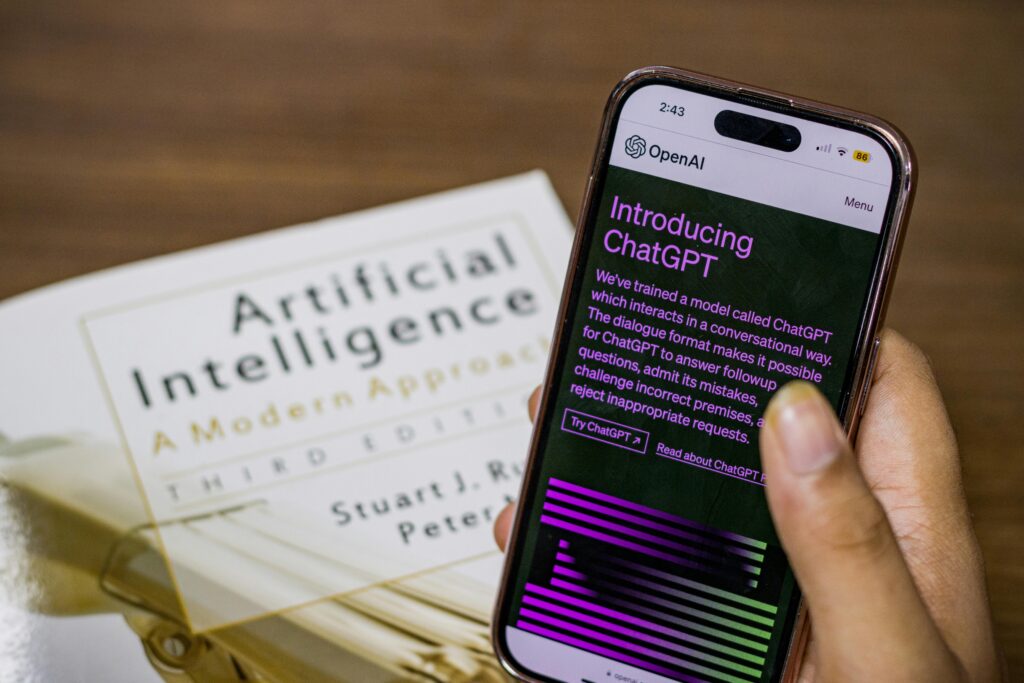
ChatGPT: Writing Scripts & Social Media Captions
What it does: ChatGPT is an AI language model that excels at generating text-based content. From YouTube scripts and podcast outlines to Instagram captions and email newsletters, it can produce high-quality drafts in seconds.
Practical Example: You’re launching a new YouTube video about productivity tips. Simply prompt ChatGPT with: “Write a 5-minute YouTube script on the top 5 productivity mistakes creators make, with a hook, main points, and a call to action.” You’ll have a solid draft in under 30 seconds.
Pro Tip: Always provide ChatGPT with context about your niche, tone, and audience for outputs that feel authentically yours. Use the Custom Instructions feature to save your preferences permanently.
Jasper: Long-Form Content Creation
What it does: Jasper is built specifically for marketing and long-form content. It offers structured templates for blog posts, sales pages, ad copy, and more, making it ideal for creators who monetize through written content.
Practical Example: A solo blogger can use Jasper’s Blog Post Workflow to generate a fully structured 1,500-word SEO article, which includes an introduction, subheadings, and conclusion based on a target keyword and topic brief.
Pro Tip: Use Jasper’s “Brand Voice” feature by uploading samples of your best content. This trains the AI to mimic your writing style, so the output sounds less generic and more like you.
Canva AI: Design & Thumbnails
What it does: Canva’s suite of AI features include: Magic Design, Text to Image, and Magic Write which allows creators to generate professional-grade visuals without design experience. It’s especially powerful for creating YouTube thumbnails, social media graphics, and presentation decks.
Practical Example: Type a description like “Bold YouTube thumbnail for a video about morning routines, with energetic colours and a person drinking coffee” and Canva AI generates multiple thumbnail concepts you can customize instantly.
Pro Tip: Save your brand colours, fonts, and logo in Canva’s Brand Kit so that every AI-generated designs stays on-brand automatically, no manual adjustments needed.
Productivity & Workflow
Notion AI: Organization & Content Planning
What it does: Notion AI integrates directly into your Notion workspace to help you plan, organize, and summarize. It can generate content calendars, summarize meeting notes, brainstorm content ideas, and even draft project plans within the tools you’re already using.
Practical Example: Ask Notion AI to “Create a 4-week content calendar for a fitness creator with three posts per week across YouTube, Instagram, and TikTok.” It generates a structured plan you can immediately start populating with ideas.
Pro Tip: Use Notion AI’s summarize feature to condense long research documents, podcast transcripts, or competitor content analyses into concise bullet points. This helps cut your research time in half.
Perplexity AI: Research & Summaries
What it does: Perplexity AI is a research-focused AI tool that scours the web in real time to provide accurate, cited answers. Unlike general chatbots, Perplexity shows its sources, making it invaluable for fact-checking and staying current on industry trends.
Practical Example: A solo podcast creator preparing an episode on AI ethics can ask Perplexity: “What are the latest developments in AI regulation in 2026?” and receive a well-sourced summary with links to original articles — ready to use as show notes or talking points.
Pro Tip: Use Perplexity’s “Focus” modes, particularly for Academic and YouTube content, so as to get research tailored to specific content types and credibility standards.
Automation & AI Agents
Zapier + AI Tools: Automating Routine Tasks
What it does: Zapier connects your Favorite apps and automates workflows between them. With its built-in AI features (including ChatGPT integration), you can create powerful automations that trigger AI-generated actions based on real-world events.
Practical Example: Set up a Zap that automatically takes every new YouTube video title you upload, sends it to ChatGPT to generate five tweet variations and an email newsletter teaser, then posts them to Buffer and your email list. All this is done without touching a keyboard.
Pro Tip: Start small and then Automate just one repetitive task, like repurposing blog post titles to social captions and gradually build more complex workflows as you get comfortable with the platform.
Claude (Personal AI Agent): Your Always-On Creative Partner
What it does: Claude, developed by Anthropic, is a versatile AI assistant designed to be helpful, harmless, and honest. As a personal AI agent, Claude can assist with everything from brainstorming and editing to research analysis, code generation, and strategic planning, all within a conversational interface that remembers context throughout a session.
Practical Example: A solo creator launching a new course can work with Claude to develop the entire launch strategy, from drafting the sales page, writing email sequences, creating FAQ sections, and generating social proof frameworks. It does this in a single extended conversation, with Claude adapting its responses based on feedback and refinements.
Pro Tip: Think of Claude as a thinking partner, not just a content generator. Use it to pressure-test your ideas, explore different angles on a topic, or work through creative blocks by asking open-ended questions like “What am I missing in this content strategy?”
In this 5-minute video, you’ll see a step-by-step demonstration of AI agents in action, from task automation to content ideation. Watching this example makes it easier to apply the workflow to your own projects.
How to Build a Simple AI Workflow
The real power of AI isn’t in any single tool; it’s in how you chain them together into a workflow that runs like clockwork. Here’s a simple, repeatable AI content workflow any solo creator can implement starting today.
Step 1: Research & Ideation (Perplexity AI + ChatGPT)
Start every piece of content with research. Use Perplexity AI to identify trending topics in your niche and gather current, credible data. Then switch to ChatGPT to brainstorm content angles, titles, and hooks based on what you’ve learned. This combination gives you content that is both timely and well-structured before you’ve written a single word.
Step 2: Plan & Organize (Notion AI)
Once you have your topic and angle, move into Notion AI to build out your content plan. Create a structured outline, set deadlines, add your research notes, and map out how this piece fits into your broader content calendar. Having everything in one organized space eliminates context-switching and mental clutter.
Step 3: Create (ChatGPT, Jasper, or Claude)
With your outline in hand, use your preferred writing AI to generate a first draft. If you’re producing a long-form blog post or course content, Jasper’s templates give you a reliable structure. For more nuanced creative work or when you want an interactive drafting partner, Claude is ideal. It always treats AI outputs as a first draft, then add your personal stories, opinions, and voice before publishing.
Step 4: Design (Canva AI)
Once your content is written, bring it to life visually. Use Canva AI to generate thumbnails, social media graphics, and any supporting visuals. With your Brand Kit set up, this step takes minutes rather than hours and the results look professional without requiring any design skills.
Step 5: Distribute & Automate (Zapier)
Finally, let Zapier handle the distribution. Set up automations that take your published content and repurpose it across channels automatically: posting to social media, sending to your email list, and notifying your community. This way, your content reaches every corner of your audience without manual effort.
Tips for Using AI Efficiently as a Solo Creator
Knowing which tools to use is only half the battle. Using them efficiently is what separates creators who save hours each week from those who spend just as much time managing AI as they did do things manually. Here are the most important best practices to keep in mind.
- Always provide context: The quality of AI output is directly proportional to the quality of your input. Instead of vague prompts like “write a caption,” try “write three Instagram captions for a video about overcoming creative burnout, targeting solo creators aged 25–35, using an empathetic and motivational tone.”
- Edit ruthlessly: AI is a powerful first-draft engine, but it lacks your lived experience, personality, and nuanced judgment. Always review, refine, and personalize every AI-generated piece before it reaches your audience. Your unique voice is your competitive advantage.
- Batch your AI tasks: Rather than using AI reactively for individual tasks, set aside dedicated AI work sessions. Spend 60–90 minutes generating a full week’s worth of captions, thumbnails, or email drafts in one go. Batching maximizes efficiency and keeps you in a creative flow state.
- Build a prompt library: Save your best-performing prompts in a personal database (Notion works great for this). Over time, you’ll develop a toolkit of reliable prompts for your most common tasks, from generating video titles to writing sponsor scripts that you can reuse and refine.
- Stay human-centered: Use AI for structure and scale, but keep your audience relationship authentic. Share your personal experiences, respond to comments yourself, and let your real personality shine through. Audiences connect with people, not algorithms.
- Continuously experiment: The AI landscape evolves rapidly. Make it a habit to test one new AI tool or feature per month. Small experiments keep your workflow fresh and often reveal time-saving shortcuts you wouldn’t have discovered otherwise.
Final Thoughts
The era of solo creators being limited by their bandwidth is over. With the right AI tools and a smart workflow, a single person can produce content at the quality and volume that once required an entire team. But the creators who will truly thrive are those who use AI as an amplifier, not a replacement for their voice, creativity, or connection with their audience.
Start small. Pick one tool from this guide, integrate it into your workflow this week, and notice the difference. Then gradually layer in more. Within a month, you’ll wonder how you ever created without AI on your side.
The most successful solo creators of 2026 and beyond won’t be those who resist AI, they’ll be the ones who embrace it early, adapt quickly, and keep their humanity at the centre of everything they create. Watch My youtube video on AI Agents and Automation for more information.